
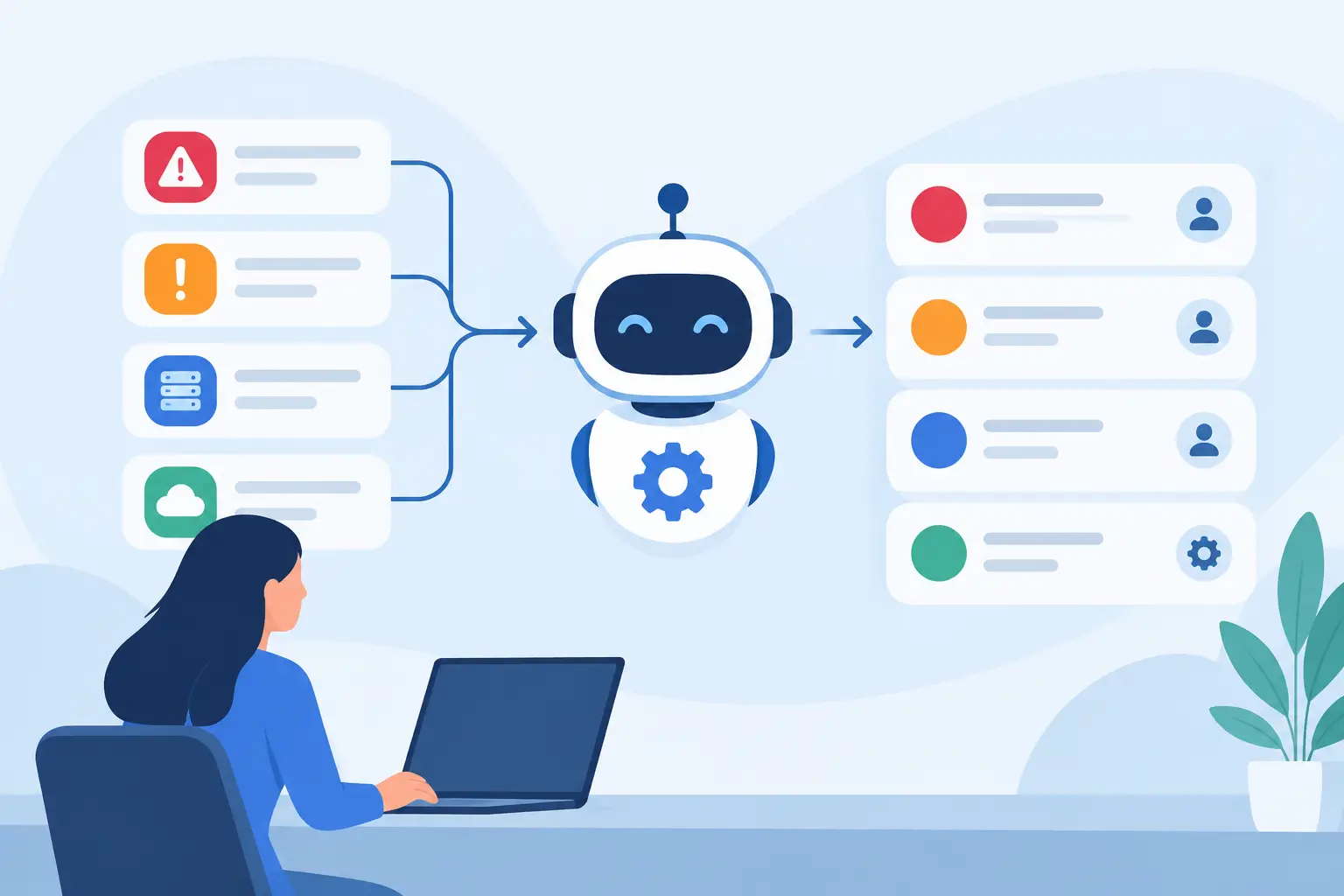
A high-severity alert without context is not an incident. It is an interruption that forces an analyst to open multiple consoles, reconstruct a timeline, and decide whether the business is actually at risk. The best incident triage automation examples remove that reconstruction work early, so analysts can focus on judgment, containment, and recovery instead of repetitive evidence gathering.
For SOC leaders, the goal is not to automate every security decision. It is to automate the predictable work that slows investigations: deduplication, enrichment, correlation, severity calculation, routing, and evidence collection. The result is a smaller queue, clearer ownership, and faster action when a real threat emerges.
What incident triage automation should do
Effective triage automation turns scattered telemetry into an incident record an analyst can act on. That means connecting signals from endpoint tools, firewalls, cloud services, identity providers, email security, and vulnerability systems before an analyst begins the investigation.
A useful workflow answers four questions quickly: What happened? Which user, asset, or data is affected? Is the behavior expected? What action is justified now? If automation cannot improve those answers, it may create more process without reducing risk.
The right level of automation depends on the maturity of the team and the consequence of a wrong action. Automatically closing a duplicate alert is low risk. Automatically disabling a privileged executive account may be appropriate only when confidence is high and an escalation path is defined. Mature programs apply automation progressively, using human approval for decisions with significant business impact.
8 incident triage automation examples for SOC teams
1. Grouping duplicate alerts into one investigation
One phishing message can generate separate alerts from an email gateway, endpoint agent, identity provider, and secure web gateway. If each alert arrives as an isolated case, four analysts may investigate the same event while other threats wait in the queue.
Automation can group alerts by shared indicators such as sender, recipient, message ID, URL, attachment hash, device, and time window. Instead of four tickets, the analyst receives one incident with linked evidence. The incident should preserve the source alerts for auditability while presenting a single timeline and owner.
This is often the fastest way to reduce alert fatigue because it addresses duplication before it reaches the analyst. The trade-off is correlation tuning. Rules that group events too broadly can hide meaningful differences, particularly when a widespread campaign targets both standard users and privileged administrators.
2. Enriching an alert with identity and asset context
An impossible-travel alert is more meaningful when the platform can show whether the account belongs to a contractor, a domain administrator, or a finance executive. The same is true for endpoint detections: a suspicious process on a lab workstation carries different urgency than one on a server supporting payroll.
Triage automation can attach identity role, privilege level, MFA status, recent authentication history, asset owner, device criticality, operating system, IP reputation, and known vulnerabilities to the incident. The analyst no longer needs to pivot across identity, CMDB, endpoint, and vulnerability tools simply to establish basic scope.
Context does not replace investigation. It makes the first decision defensible. A low-confidence alert involving a highly privileged account may deserve immediate review, while a similar event on a retired test device may be safely deprioritized.
3. Prioritizing incidents with risk-based scoring
Alert severity assigned by a detection tool is rarely sufficient on its own. A vendor may mark a behavior as high severity without knowing whether the target host is internet-facing, whether the user has elevated privileges, or whether the activity appears in a broader attack sequence.
An automated triage score can combine detection confidence with business context. For example, a score may rise when a suspicious PowerShell execution occurs on a critical server, follows a successful login from an unfamiliar location, and connects to a known malicious domain. It may fall when the activity is tied to an approved administrative tool and a known maintenance window.
Risk scoring should be transparent. Analysts and SOC managers need to see why an incident was ranked high, not just receive a number from a black box. Transparent scoring also helps teams tune thresholds when queue volume changes or new telemetry sources are added.
4. Building a cross-tool attack timeline
Ransomware investigations are rarely solved by one alert. The sequence may begin with a phishing email, continue with credential access, move through remote management tools, and end with encryption activity or attempts to disable security controls. Each system sees part of the story.
Automation can correlate these signals into a time-ordered incident timeline. It can link the original email to the user who clicked, the endpoint process that ran, the identity events that followed, and the network connections made from the affected host. The analyst sees the chain of behavior rather than an unconnected collection of alerts.
This example matters because speed is critical during active ransomware activity. A unified timeline allows an analyst to determine whether the threat is isolated or spreading, then contain the right endpoint or account without waiting for manual evidence collection.
5. Automating phishing triage and containment
Phishing remains a high-volume operational problem because many messages look suspicious but do not require the same response. Automation can inspect sender reputation, SPF and DKIM results, URL and attachment intelligence, mailbox delivery data, and user interaction events. It can then determine whether the message was delivered, opened, clicked, or reported by a user.
When confidence is high, the workflow can remove matching messages from other mailboxes, block the sender or URL, and create a case with affected recipients and actions taken. When confidence is moderate, it can route the message to an analyst with the relevant artifacts already attached.
The key is separating a broad campaign response from a single-message review. Removing a known malicious message from hundreds of inboxes should not require hundreds of manual tickets. But a workflow should avoid aggressive mailbox remediation based solely on weak reputation data, which can disrupt legitimate communications.
6. Detecting suspicious authentication patterns
Identity is often the fastest path from initial access to broader compromise. Automated triage can connect unusual login activity with account privilege, device posture, conditional access results, MFA events, impossible travel, repeated failures, and new token creation.
Consider a user who authenticates from a new country, registers a new MFA method, and accesses a cloud application from an unmanaged device within minutes. Each event may have an explanation. Together, they warrant an elevated incident and immediate review. Automation can collect the relevant session details, list affected applications, and identify whether the account has accessed sensitive data.
If the evidence reaches a defined confidence threshold, the workflow may revoke active sessions or force a password reset. For privileged accounts, many organizations prefer approval-based containment. That is not a weakness in automation. It is a deliberate control that balances response speed against the potential impact of locking out a critical administrator.
7. Validating endpoint detections before escalation
Endpoint tools generate valuable detections, but they can also generate noise from software deployment, administrator activity, developer tools, and legitimate scripts. Automated triage can validate an endpoint alert by checking process ancestry, command-line arguments, file reputation, user identity, device role, recent software changes, and network behavior.
For example, a PowerShell alert may be downgraded when it is launched by an approved management platform during a documented patch window. The same alert should escalate when it launches from an Office application, downloads an encoded payload, and reaches an unfamiliar external domain.
This approach reduces the tendency to close alerts based on a single familiar indicator. It also keeps the original detection visible, which matters for auditing and for identifying patterns that may later prove malicious.
8. Creating the right case and routing it to the right team
Triage is incomplete if a validated incident sits in the wrong queue. Automation can assign cases based on severity, affected environment, business unit, geography, regulatory relevance, and required skill set. A cloud misconfiguration may go to cloud security, while a confirmed endpoint compromise goes to the incident response team with IT operations notified for containment support.
The case should include a concise incident narrative, relevant evidence, recommended next actions, assigned owner, and service-level deadline. This prevents the common handoff failure where the receiving team must repeat the investigation before acting.
For organizations using SOC as a Service, routing rules also define what the managed analyst can execute independently and what requires customer approval. Clear authority boundaries are as important as detection quality during an active incident.
Designing automation that analysts will trust
Trust comes from evidence, not from claiming that a workflow is intelligent. Every automated action should leave a clear record: the source data used, the correlation logic applied, the confidence level, the action taken, and the person or policy that authorized it. That record supports both operational learning and leadership reporting.
Start with repetitive workflows that consume analyst time but have predictable outcomes. Measure the reduction in duplicate alerts, mean time to acknowledge, mean time to contain, and the percentage of incidents that arrive with complete context. Then expand automation where the data supports it.
A unified analyst workspace makes this model easier to operate because correlation, triage, case management, and response are not spread across disconnected tools. Platforms such as Helxon's VORXOC are designed to bring telemetry and workflow together so teams can act from one incident record instead of stitching together partial views.
The strongest automation does not try to replace the analyst. It ensures that when an analyst opens an incident, the facts are already assembled, the risk is clear, and the next action is ready to make.